What is Save Flash?
By PilotGroup Ltd
What is it?
Save Flash provides capabilities to download flash based videos from Youtube, Vimeo and many others and save it as FLV file to a local PC or to the Save Flash network service. Video files can be saved to many mobile devices and converted to various formats (MP4, AVI, MKV, FLV, WMV, 3GP).
Description from PilotGroup Ltd“Save Flash is the most versatile tool with which you can save any flash animation with just a single click. All your favorite flash games, flash cards, flash banners and cartoons can be saved with just a single click and made available as a collection offline. This tool displays the flash files size, its URL and name, the tool comfortably saves the flash to the chosen directory and allows you to conveniently view the preview in an enlarged mode, rewind or forward view, pause, loop and even scale. The tool is enhanced with the feature to either save the complete web page or all the flash files or each and every flash file separately. Easy screenshots can be made from any flash frame and saved to graphic format. This tool can be easily and quickly accessed by the floating drop-down menu and is backed up by full technical support and discounted upgrades. This versatile tool packed with easy to use features is also supported with multilingual interface.
”
Publisher about URL: http://www.saveflash.com/
How to Automatically Uninstall Save Flash (with Boost)
If you you do not have Boost installed yet, download Boost and enjoy your PC.
Open Boost by either double-clicking the Boost icon 

 in your notification area next to your PC's clock, or single-clicking the Boost icon and clicking the Open Boost button on the top left of the Boost notification window.
 If you are not currently on the My PC screen of the main Boost window, click the My PC tab.
Click the Optimize programs button  , this will launch the Program Optimization screen.
Locate the program in the list called Save Flash by PilotGroup Ltd. (The program could be listed under any of the section such as Uninstall Recommended, Possible Uninstall, etc. based on how well Save Flash performs on your PC.)
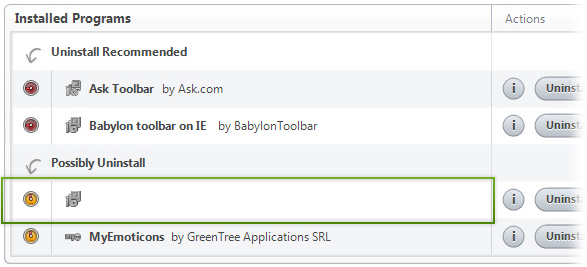
Save Flash by PilotGroup Ltd
To the right of the list item, click the Uninstall  button and Boost will completely remove Save Flash from your PC.
How to Manually Uninstall Save Flash (with Windows)
Use Add/Remove Programs control panel in Windows makes to uninstall Save Flash. Follow the appropriate instructions below to use this control panel.
Windows 7
From the Start menu, select Control Panel.
In Large or Small icon view, click Programs and Features. If you're using Category view, under "Programs", click Uninstall a program.
Select Save Flash from the list of programs, and click Uninstall. Alternatively, right-click the program and select Uninstall.
Windows Vista
From the Start menu, select Control Panel.
In Classic View, double-click Programs and Features. In Control Panel Home view, under "Programs", click Uninstall a program.
Select Save Flash from the program list, and click Uninstall. Alternatively, right-click the program and select Uninstall.
Windows XP
From the Start menu, select Control Panel.
Click the Add or Remove Programs icon.
Select Save Flash from the list of programs and click Remove.